
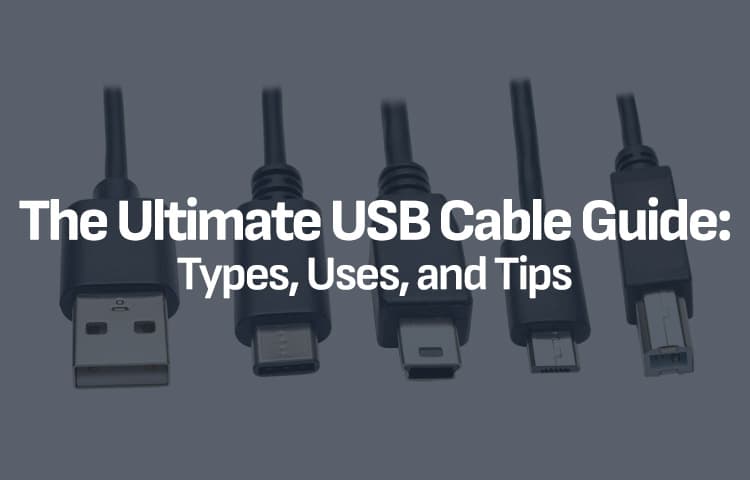
The Ultimate USB Cable Guide: Types, Uses, and Tips
In our increasingly connected world, USB (Universal Serial Bus) cables are essential tools for powering and transferring data between devices. With various types and standards available, navigating the world of USB can be overwhelming. This guide aims to demystify USB cables, helping you understand the different types, their uses, and tips for choosing the right one.
Understanding USB Types
1. USB-A
The most recognizable USB connector, the connector notorious for needing multiple tries to fit the right way. It is typically found on computers, laptops, and many chargers. It’s a flat, rectangular port used primarily for data transfer and power supply.
2. USB-B
Commonly used in printers, some microphones and other larger devices, USB-B connectors are square-shaped with beveled corners. While less common for personal use, you might encounter them when connecting specific peripherals.
3. USB Mini
This smaller connector was popular in older devices, such as cameras and some portable electronics. It has mostly been phased out in favor of newer standards but may still be encountered occasionally.
4. USB Micro
Micro USB connectors are compact and widely used in older or cheaper smartphones, tablets, and other portable devices. They come in two variants: Micro USB-A, and Micro USB-B. Micro USB-B is most commonly found on these devices.
5. USB-C
The latest and most versatile USB connector, USB-C is reversible and supports higher data transfer rates and power delivery. It has quickly become the standard for modern devices, including laptops, smartphones, and accessories.
USB Standards: Speed and Power
USB cables also come in various standards, which determine their data transfer speeds and power delivery capabilities. Standards are independent of connector type, but in practice, the higher speed standards are genearlly on newer connectors.
USB 2.0
With a maximum transfer speed of 480 Mbps, USB 2.0 is suitable for basic data transfers and charging. It’s commonly used for peripherals like mice, keyboards, and flash drives.
USB 3.0/3.1/3.2
These standards offer significantly faster transfer speeds—up to 5 Gbps for USB 3.0 and up to 20 Gbps for USB 3.2. They are ideal for transferring large files and high-speed data devices, such as external hard drives and high-resolution cameras.
USB4
The newest standard, USB4, can reach speeds of up to 40 Gbps and supports Thunderbolt 3 compatibility. It’s designed for high-performance devices and can carry both power and data simultaneously.
Choosing the Right Cable
When selecting a USB cable, consider the following:
Device Compatibility: Obviously picking the right connection to push into the port is most important, no other specifications are going to matter if they don’t click together.
Speed Requirements: If you need fast data transfer, opt for USB 3.0 or higher. A lower revision may still be useful for charging but may charge slower as it’s lacking extra pins.
Power Delivery: If you’re charging devices, you’ll need to consider not only the cable, but the power adapter as well. Most devices come with some variety of quick charge tech, with an adapter to suppport that. We’re focusing on the cables here, but when in doubt, use the adapter that comes with the device, or one approved by the manufacturer.
Tips for Cable Maintenance
To extend the lifespan of your USB cables, keep these tips in mind:
Avoid bending or twisting the cable excessively, especially near the connectors. You may break the copper connections inside!
Keep cables organized so you have the right connectors for the right ports. This works as general life advice, too!
Regularly inspect cables for damage. USB cables see a lot of use in the modern age, and it’s not uncommon for them to suffer some abuse.
Conclusion
USB cables are a vital part of our digital lives, and understanding the different types, standards, and uses can help you make informed choices. Whether you’re charging your smartphone or transferring data between devices, having the right USB cable can enhance your experience. Armed with this guide, you’ll be better prepared to navigate the world of USB cables and ensure that your devices stay connected and powered up!


Intel Core Ultra 200S Plus Benchmarks